
Talk to visitors the moment they arrive.
MultiChat adds a fully branded chat bubble to any website and shows you who's browsing in real time — where they're from, which page they're on, even what they're typing. Reply from your browser, your phone, or Telegram.
Everything you need to turn a visit into a conversation
See who's on your site, start the conversation at the right moment, and answer faster with tools built for small support teams.
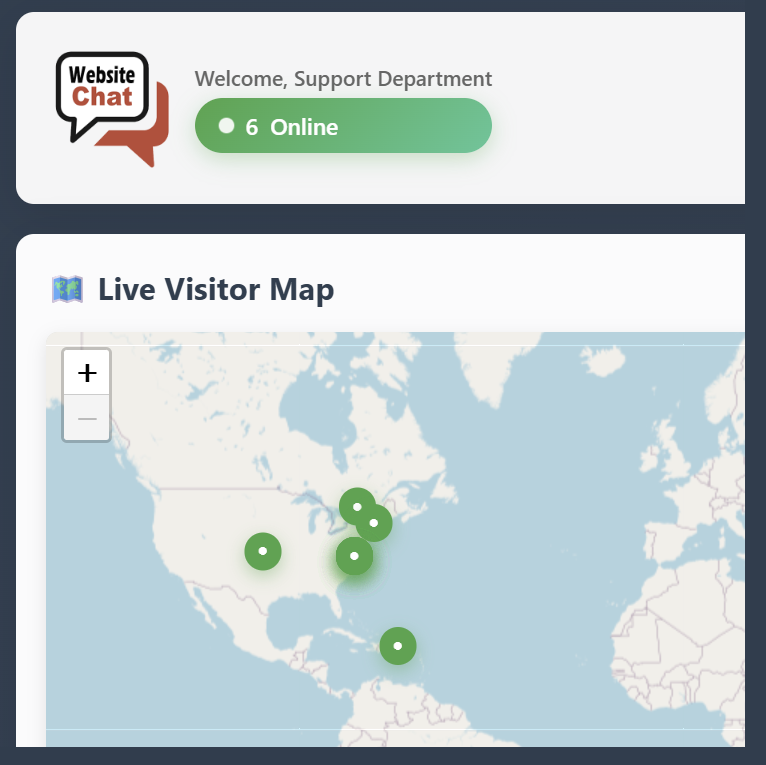
Live visitor monitor
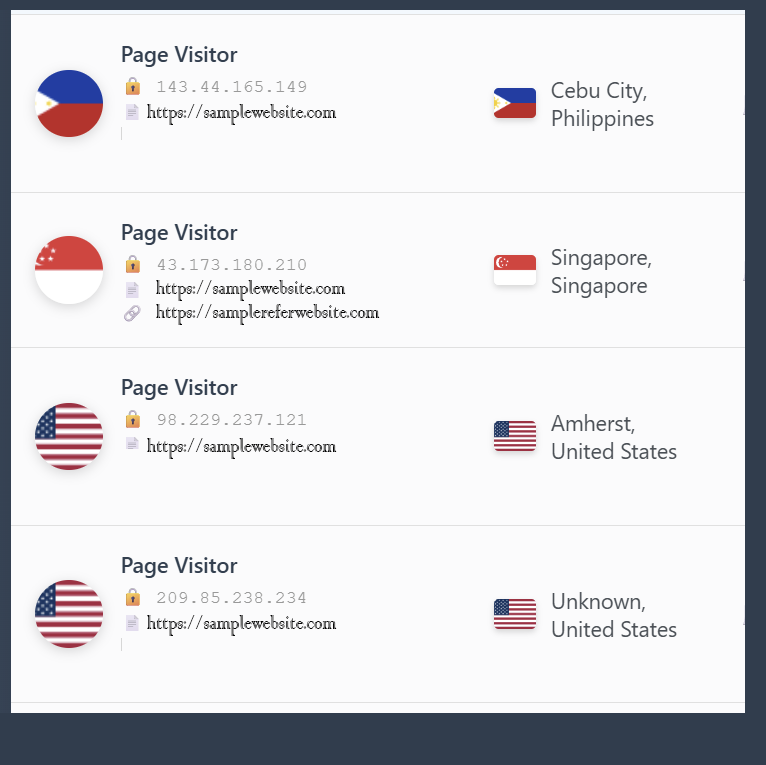
Watch visitors arrive on a live map with their location, device, browser, current page and where they came from — then open a chat with one click.
Visitor analytics
Trends over time, top countries, browsers, devices and operating systems, plus a searchable history of every visitor across all your sites.
Typing preview
See what a visitor is typing before they hit send, so your answer is ready the moment their question lands.
Canned responses
Save your best answers for one site or every site, organise them by category, and drop them in with a shortcut.
Fully branded widget
Your colours, position, size, greeting and tooltip — with a live preview as you edit. Premium can hide our branding.
One dashboard, many sites
Give every website its own chat bubble and inbox, and manage them all from a single login.
Customer login & history
Returning customers sign in with Google or email and pick up right where the last conversation left off.
Business hours
Set your weekly schedule so visitors know when you're online and when to expect a reply.
Block spam & abuse
Ban a disruptive visitor in one click and they can't start new chats on that site.
Instant alerts
Sound, browser push, Android and Telegram notifications, so a new chat never sits unanswered.
REST API
Pull conversations, visitors and messages into your own tools with a documented, token-based API.
PremiumLive on your site in three steps
No plugins, no developer. If you can paste a line of code, you can run live chat.
Create your free account
Sign up in seconds — no credit card. Your 3-day Premium trial starts straight away.
Style your chat bubble
Pick colours, position and greeting messages, and watch the live preview update as you go.
Paste the snippet
Add your embed code just before </body> on any page. Visitors can chat instantly.
<!-- MultiChat Live Chat Widget -->
<script>
(function() {
    var script = document.createElement('script');
    script.src = 'https://multichat.website/app/widget.js?v=2.2';
    script.setAttribute('data-bubble-key', 'YOUR_BUBBLE_KEY');
    document.head.appendChild(script);
})();
</script>Your live chat goes where you go
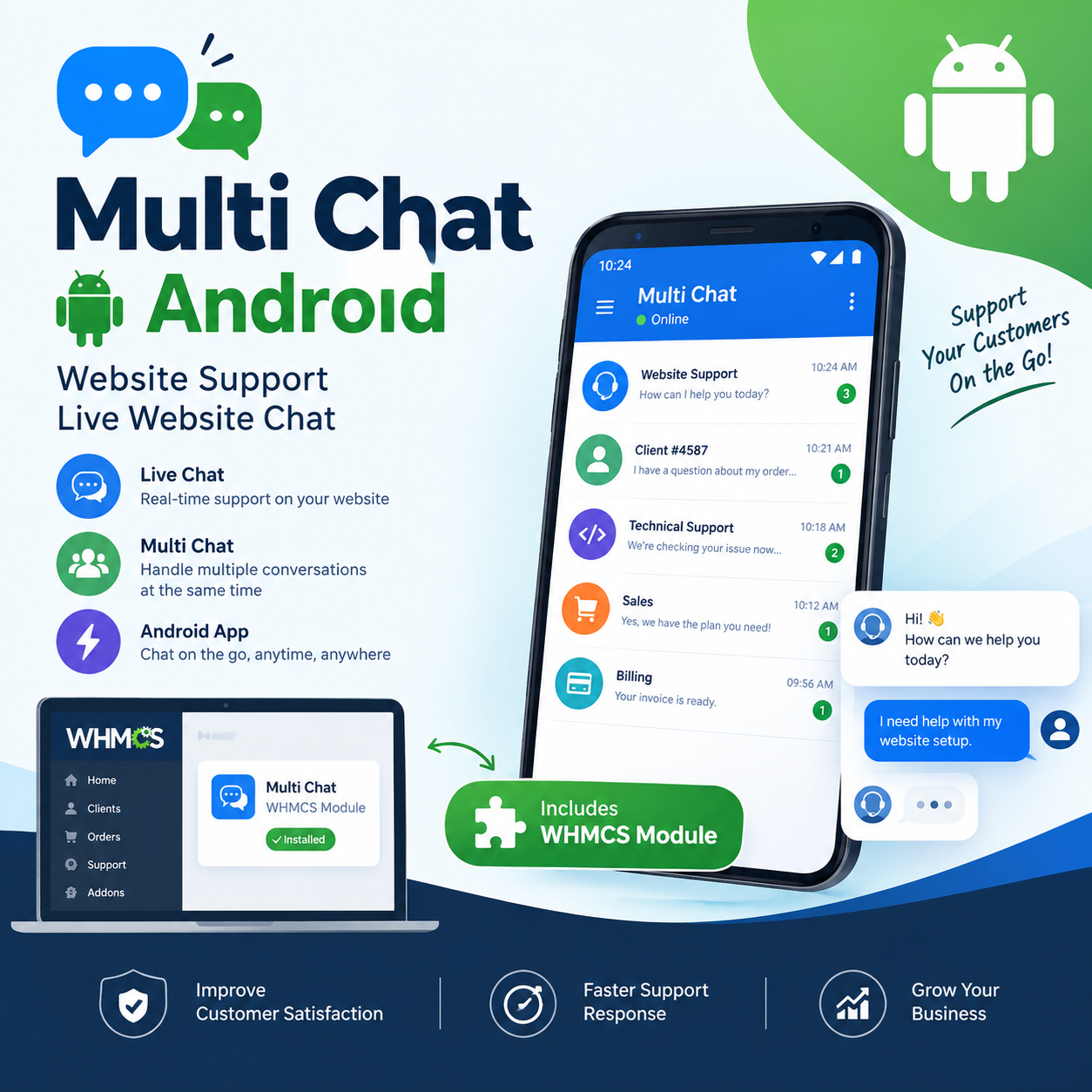
Step away from your desk without leaving visitors hanging. Every new visitor and message reaches you wherever you are.
Plugs into the tools you already use
Built-in integrations for hosting companies, plus a widget that works on any website.

WHMCS addon module
Logged-in WHMCS clients are recognised automatically, and their details appear right next to the chat.
- Auto-identify logged-in clients
- See services, domains and invoices
- Jump straight to the client in WHMCS
Google sign-in
Let customers sign in to the chat with their Google account — no forms, no passwords.
- One-click customer login
- Name and email filled in for you
- Conversation history kept per customer

Telegram
Receive chats in Telegram and reply from the app — perfect when you're away from the dashboard.
- Instant new-message alerts
- Reply directly from Telegram
- Set up a bot in a few minutes
The widget works anywhere you can add a script tag, including:
Built for teams that run more than one site
MultiChat works best when one person or a small team looks after several websites at once.
Hosting providers
Answer pre-sales and support questions with the client's account details already on screen.
- Free WHMCS addon
- Clients identified automatically
- Canned replies for common tickets
Agencies & freelancers
Give every client site its own branded chat while you handle all of them from one inbox.
- Unlimited sites on Premium
- Separate branding per site
- Shared replies across sites
Online stores & SaaS
Catch shoppers on the pricing or checkout page and answer the question that's holding them back.
- See the page each visitor is on
- Typing preview for faster answers
- Alerts on Android and Telegram
Simple pricing, every feature included
Start with a free 3-day Premium trial. Every plan includes the full feature set — you just choose how often you pay.
- Unlimited sites & chat bubbles
- Unlimited conversations
- Live monitor & analytics
- Telegram & Android alerts
- Hide MultiChat branding
- REST API access
- Unlimited sites & chat bubbles
- Unlimited conversations
- Live monitor & analytics
- Telegram & Android alerts
- Hide MultiChat branding
- REST API access
- Unlimited sites & chat bubbles
- Unlimited conversations
- Live monitor & analytics
- Telegram & Android alerts
- Hide MultiChat branding
- REST API access
Pay by card or cryptocurrency. No credit card needed for the trial. Compare plans in detail →
Questions, answered
Can't find what you're looking for? Get in touch — or start a chat with us using the bubble in the corner.
How long does setup take?
Most people are live within a few minutes. Sign up, style your chat bubble, then paste one snippet before the </body> tag of your site. No plugins or developer needed.
Does it work with WordPress, Shopify and other platforms?
Yes. MultiChat works on any website where you can add a script tag — WordPress, Shopify, WHMCS, Wix, Squarespace, Webflow, Joomla, or a plain HTML site.
Can I use MultiChat on several websites?
Yes. Premium includes unlimited chat bubbles, so each website gets its own branded widget, embed code and inbox — all managed from one dashboard.
Do I need a credit card for the free trial?
No. The 3-day trial includes every Premium feature and needs no card. When it ends, choose Monthly ($9.95), Quarterly ($25) or Yearly ($59) and pay by card or cryptocurrency.
Can I answer chats from my phone?
Yes. The free MultiChat Operator app for Android sends push alerts for new visitors and messages and lets you reply on the go. You can also connect Telegram and reply straight from the Telegram app.
What happens when my trial or subscription ends?
Your account, chat bubbles and conversation history are kept. The live monitor and conversation tools are paused until you subscribe or renew, which you can do at any time from your account.
Is the WHMCS addon really free?
Yes. The WHMCS addon module is free to download and use. It recognises logged-in WHMCS clients and shows their services, domains and invoices next to the chat.
Can I remove the MultiChat branding?
Yes. On Premium, branding is hidden by default and you can switch it on or off for each chat bubble.
Your next customer is on your site right now.
Start a conversation with them. Set up MultiChat in a minute and try every Premium feature free for 3 days.